How to set up Network Drive using Windows to access WebDAV?
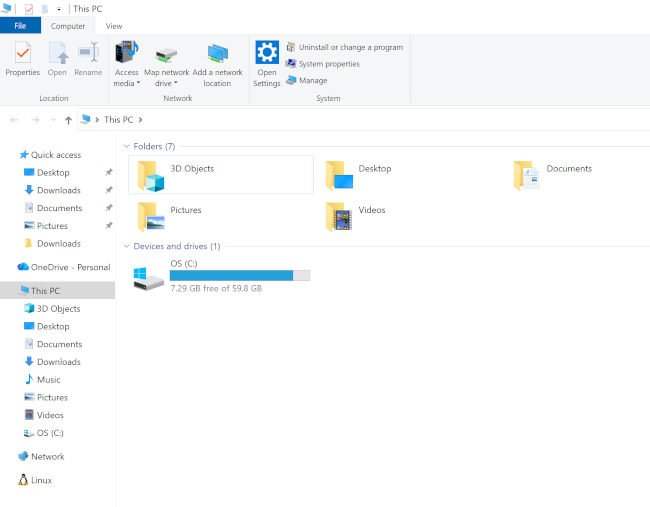
Open "This PC" location in Windows Explorer.
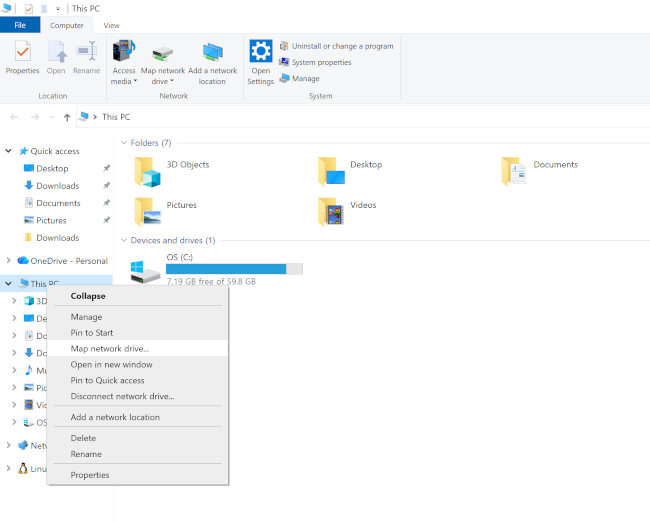
Click right mouse button on "This PC" and choose "Map Network drive" in contextual menu:
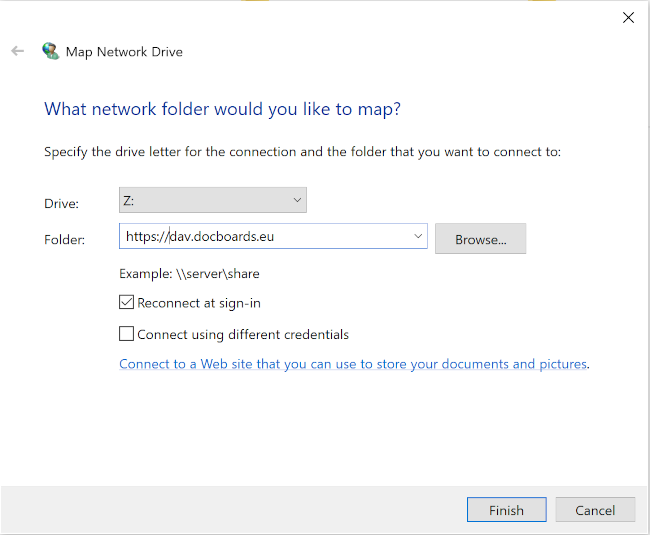
Select Drive letter and enter "https://dav.docboards.eu/" in Folder field, check Reconnect at sign-in and click "Finish" button:
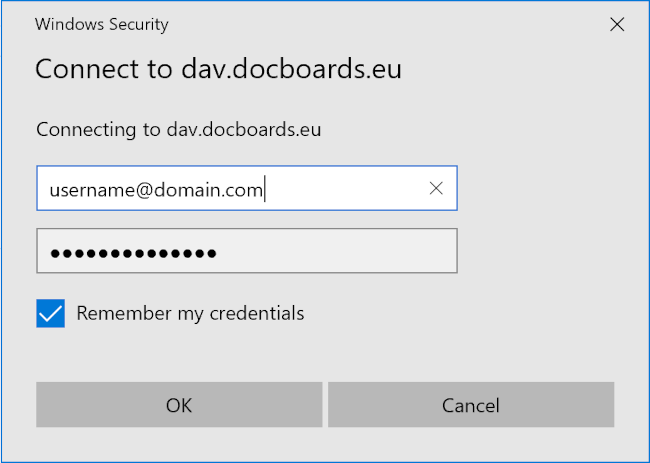
In security dialog enter your docboards.eu username and password, check Remember my credentials and click "OK" button:
Depending on your Windows version disk might appear named as "DavWWWRoot".
In that case, click right mouse button on disk name and select rename in contextual menu:
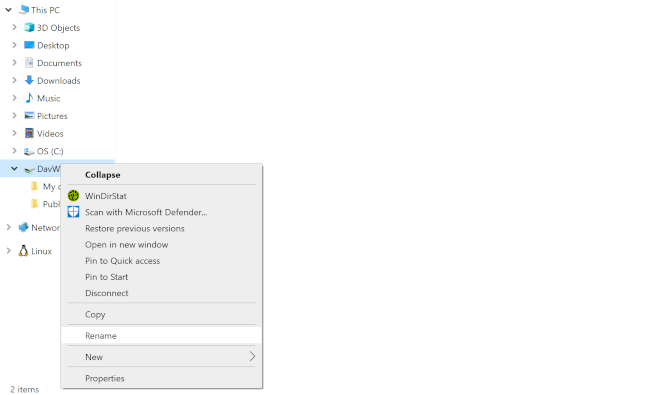
Type "Docboards" as new name of mapped network drive and click "OK".
Browse "Docboards (Z:)" as any other disk on your computer.
Click right mouse button on "This PC" and choose "Map Network drive" in contextual menu:
Select Drive letter and enter "https://dav.docboards.eu/" in Folder field, check Reconnect at sign-in and click "Finish" button:
In security dialog enter your docboards.eu username and password, check Remember my credentials and click "OK" button:
Depending on your Windows version disk might appear named as "DavWWWRoot".
In that case, click right mouse button on disk name and select rename in contextual menu:
Type "Docboards" as new name of mapped network drive and click "OK".
Browse "Docboards (Z:)" as any other disk on your computer.